Electronics Parts
  Electrical & Automation
  Lab Equipment's
  Power Supply
  Gadgets & Gear
  Miscellaneous
  Services
  Pre-Owned Products






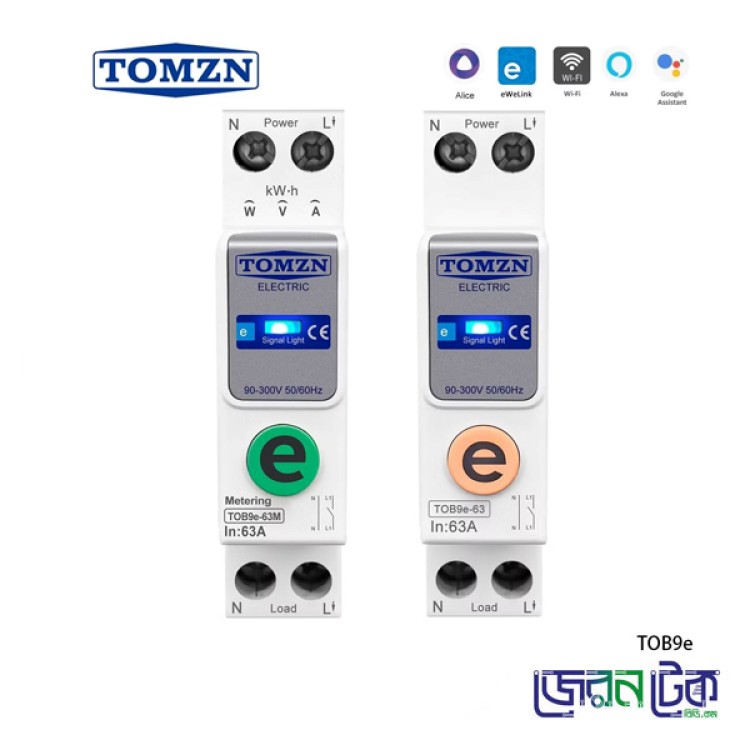
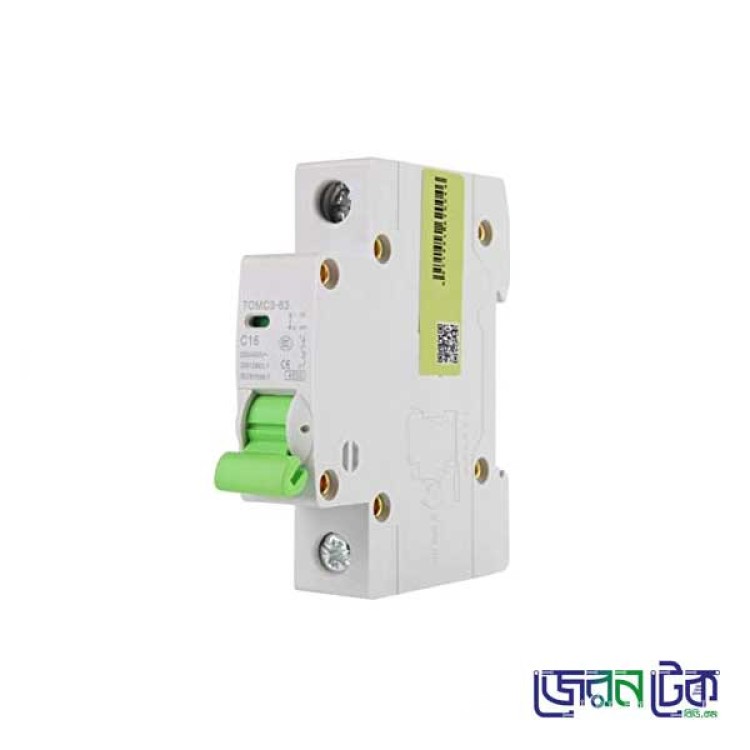
TOMZN 63A Wi-Fi Smart Circuit Breaker TOB9e63
Product Code: POR013Category: Circuit Breaker
TOMZN TOB9e63 63A Wi-Fi Smart Circuit Breaker enables convenient remote ON/OFF control through the eWeLink app. It supports timer and scheduling functions, 2.4GHz Wi-Fi connectivity.
TOMZN 63A Wi-Fi Smart Circuit Breaker TOB9e63
Description of TOMZN 63A WiFi Smart Circuit
Breaker TOB9e63
The TOMZN TOB9e63 WiFi
Smart Circuit Breaker is an intelligent electrical switching device designed
for modern power distribution systems. It enables remote ON/OFF control of
electrical circuits via the eWeLink app, providing
convenient and reliable wireless operation in a compact DIN-rail mounted
design.
This device supports
WiFi connectivity and allows users to control connected electrical loads
remotely through the eWeLink platform. It is suitable for smart home,
commercial, and industrial applications where remote switching and basic
circuit protection are required.
Key Feature
- Remote ON/OFF control via eWelink app
- Timer and scheduling function
- DIN rail installation
Technical Specifications
|
Feature |
Specification |
|
Model |
TOB9e63 |
|
Rated Current |
63A (Recommended ≤ 40A) |
|
Working Voltage |
AC 90–300V, 50/60Hz |
|
Wireless Connectivity |
Wi-Fi 2.4GHz |
|
Mounting Type |
DIN Rail |
|
Device Width |
18mm |
|
Control App |
eWelink (Android / iOS) |
|
Voice Control Support |
Amazon Alexa, Google Assistant |
|
Energy Monitoring |
Not Supported |
|
In-app Current/Voltage Settings |
Not Supported |
Power Disconnection: Before beginning any work, ensure the main
power supply to the circuit is completely disconnected at the service panel.
Verify with a voltage tester.
Mounting: Mount the smart circuit breaker onto a
standard DIN rail within an appropriate electrical enclosure.
Wiring:
- Connect the incoming Neutral
(N) wire to the 'N Power' terminal.
- Connect the incoming Live (L1)
wire to the 'L1 Power' terminal.
- Connect the outgoing Neutral
(N) wire to the 'N Load' terminal.
- Connect the outgoing Live (L1)
wire to the 'L1 Load' terminal.
Ensure all screw
terminals are tightened securely to prevent loose connections and overheating.
Power Restoration: Once wiring is complete and verified,
restore power to the circuit.
WiFi Pairing:
- Download the compatible smart
home application (e.g., eWelink) on your
smartphone.
- Follow the in-app instructions
to add a new device. This typically involves putting the circuit breaker
into pairing mode (often by pressing and holding the 'e' button or cycling
power) and connecting it to your 2.4GHz WiFi network.
- Once paired, the signal light
on the device will indicate a successful connection (e.g., solid blue).
Operating
Instructions
After successful
installation and WiFi pairing, you can operate your TOMZN smart circuit breaker
using the dedicated mobile application.
Remote Control
- Open
the eWeLink app on your smartphone
- Select
your TOMZN device from the device list
- Use
the ON/OFF control to remotely switch the circuit breaker
Timer and Schedule Functions (If supported by firmware)
- Access
the timer or scheduling section in the app
- Set
automatic ON/OFF timing based on your requirements
- Countdown
function may be available depending on version
Applications
- Smart Home Electrical
Automation
- Remote Industrial Circuit
Management
- Smart Control Panels
- Load Scheduling
- IoT-Enabled Electrical Systems
Packaging Details
- 1 × TOMZN TOB9e63 WiFi Smart
Circuit Breaker (63A, 18mm)
- 1 × User Manual
TOMZN 63A Wi-Fi Smart Circuit Breaker TOB9e63
Description of TOMZN 63A WiFi Smart Circuit Breaker TOB9e63
The TOMZN TOB9e63 WiFi Smart Circuit Breaker is an intelligent electrical switching device designed for modern power distribution systems. It enables remote ON/OFF control of electrical circuits via the eWeLink app, providing convenient and reliable wireless operation in a compact DIN-rail mounted design.
This device supports WiFi connectivity and allows users to control connected electrical loads remotely through the eWeLink platform. It is suitable for smart home, commercial, and industrial applications where remote switching and basic circuit protection are required.
Key Feature
- Remote ON/OFF control via eWelink app
- Timer and scheduling function
- DIN rail installation
Technical Specifications
Feature | Specification |
Model | TOB9e63 |
Rated Current | 63A (Recommended ≤ 40A) |
Working Voltage | AC 90–300V, 50/60Hz |
Wireless Connectivity | Wi-Fi 2.4GHz |
Mounting Type | DIN Rail |
Device Width | 18mm |
Control App | eWelink (Android / iOS) |
Voice Control Support | Amazon Alexa, Google Assistant |
Energy Monitoring | Not Supported |
In-app Current/Voltage Settings | Not Supported |
Power Disconnection: Before beginning any work, ensure the main power supply to the circuit is completely disconnected at the service panel. Verify with a voltage tester.
Mounting: Mount the smart circuit breaker onto a standard DIN rail within an appropriate electrical enclosure.
Wiring:
- Connect the incoming Neutral (N) wire to the 'N Power' terminal.
- Connect the incoming Live (L1) wire to the 'L1 Power' terminal.
- Connect the outgoing Neutral (N) wire to the 'N Load' terminal.
- Connect the outgoing Live (L1) wire to the 'L1 Load' terminal.
Ensure all screw terminals are tightened securely to prevent loose connections and overheating.
Power Restoration: Once wiring is complete and verified, restore power to the circuit.
WiFi Pairing:
- Download the compatible smart home application (e.g., eWelink) on your smartphone.
- Follow the in-app instructions to add a new device. This typically involves putting the circuit breaker into pairing mode (often by pressing and holding the 'e' button or cycling power) and connecting it to your 2.4GHz WiFi network.
- Once paired, the signal light on the device will indicate a successful connection (e.g., solid blue).
Operating Instructions
After successful installation and WiFi pairing, you can operate your TOMZN smart circuit breaker using the dedicated mobile application.
Remote Control
- Open the eWeLink app on your smartphone
- Select your TOMZN device from the device list
- Use the ON/OFF control to remotely switch the circuit breaker
Timer and Schedule Functions (If supported by firmware)
- Access the timer or scheduling section in the app
- Set automatic ON/OFF timing based on your requirements
- Countdown function may be available depending on version
Applications
- Smart Home Electrical Automation
- Remote Industrial Circuit Management
- Smart Control Panels
- Load Scheduling
- IoT-Enabled Electrical Systems
Packaging Details
- 1 × TOMZN TOB9e63 WiFi Smart Circuit Breaker (63A, 18mm)
- 1 × User Manual
Watch this video it will give you a clear idea about this product.
Related Product